1. Getting Started
1.1. System Requirements
Before deploying MAC, ensure your system meets the following requirements:
Component |
Requirement |
|---|---|
Operating System |
Windows 10/11, Ubuntu 20.04+, or macOS 12+ |
Docker Desktop |
Version 4.0+ with Docker Compose v2 |
RAM |
8 GB minimum (16 GB recommended for LLM inference) |
Storage |
20 GB free disk space (50 GB with models) |
GPU (optional) |
NVIDIA GPU with 8+ GB VRAM (e.g., RTX 3060 12 GB) |
Network |
Campus LAN access (no internet required after initial setup) |
Tip
MAC runs in CPU-only mode without a GPU. All AI features remain functional, though inference will be slower. For production use with 50+ concurrent users, an NVIDIA RTX 3060 12 GB or better is strongly recommended.
1.2. Installation
1.2.1. Step 1: Clone the Repository
git clone https://github.com/mbmuniversity2026/MAC.git
cd MAC
1.2.2. Step 2: Configure Environment
cp .env.example .env
Edit the .env file and set at minimum:
MAC_SECRET_KEY=<your-random-64-char-hex-string>
MAC_ENV=development
Important
The MAC_SECRET_KEY is used for JWT token signing. Generate a strong random
key using: python -c "import secrets; print(secrets.token_hex(32))"
1.2.3. Step 3: Start the Platform
Windows (recommended):
start-mac.bat
Linux / macOS:
docker compose up -d
This starts all services:
mac-api– FastAPI backendmac-nginx– Reverse proxy + static frontendmac-postgres– PostgreSQL 16 databasemac-redis– Redis 7 cachemac-qdrant– Vector database for RAGmac-searxng– Self-hosted web searchmac-vllm-speed– GPU inference engine (if GPU available)mac-whisper– Speech-to-text engine
1.2.4. Step 4: Open in Browser
Navigate to:
http://localhost
You will see the MAC login page:
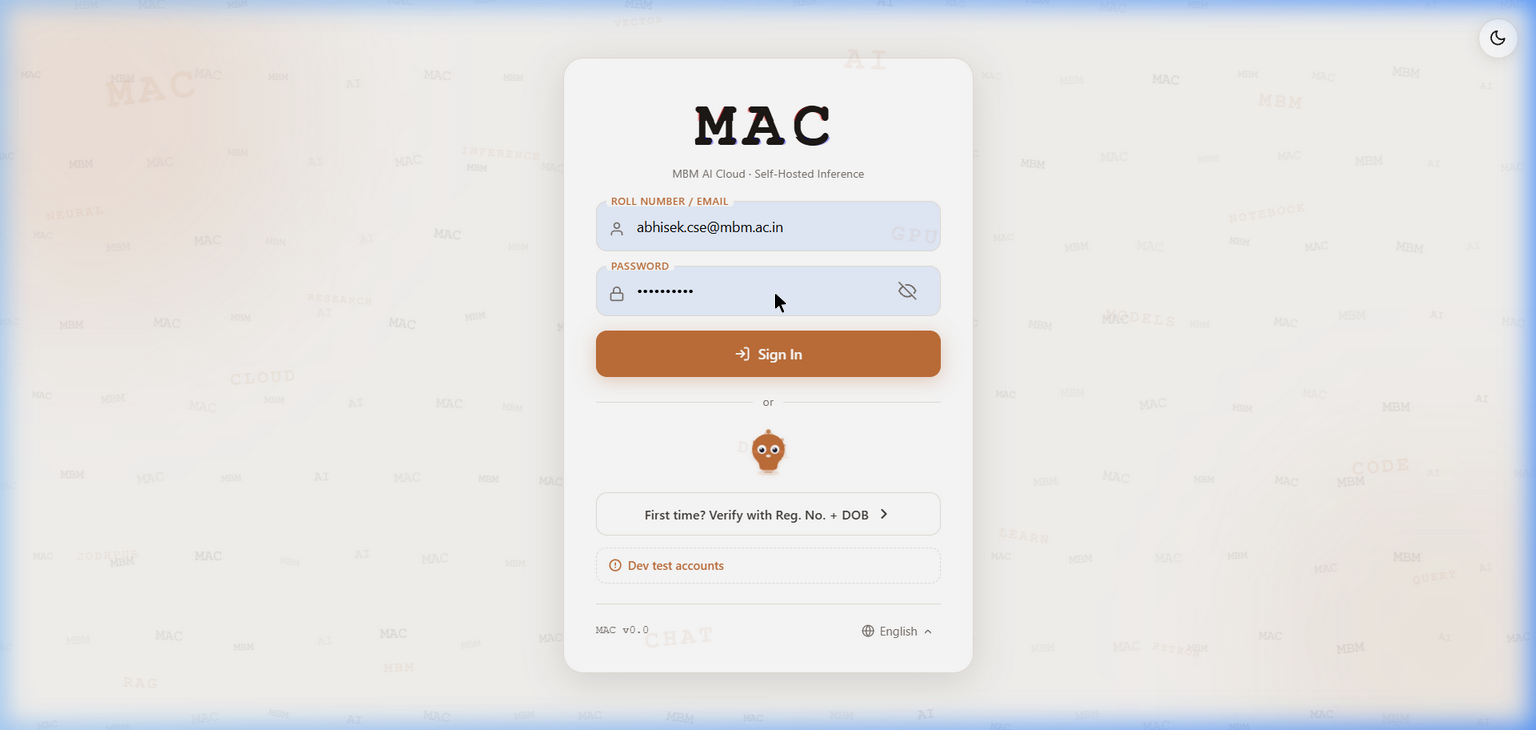
The MAC login page with Sign In form, DOB verification link, and multi-language support.
1.2.5. Step 5: First Login
Use the development credentials to log in:
Role |
Username |
Password |
|---|---|---|
Admin |
|
|
Faculty |
|
|
Student |
|
|
1.3. Building the MBM Book Workspace Image
If you plan to use the MBM Book cloud IDE, build the workspace image:
docker build -t mbmbook-workspace:latest \
    -f docker/workspace/Dockerfile.lite docker/workspace/
This creates a ~6 GB image with runtimes for Python 3.11, Node.js 20, Java 17, Go 1.22, Rust 1.95, C/C++, Ruby, and PHP. Build time is approximately 5 minutes.
1.4. Stopping the Platform
Windows:
stop-mac.bat
Linux / macOS:
docker compose down
Note
Data is persisted in Docker volumes (pgdata, redisdata, qdrantdata).
Stopping and restarting the platform does not lose any data.